
Download AI Blaze – AI Writing Assistant, Secure Text Generator, Free Trial
Overview of AI Blaze
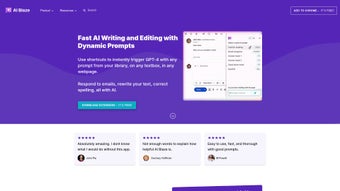
AI Blaze is a web‑based personal writing assistant that leverages state‑of‑the‑art artificial intelligence to help you craft, edit, and polish any piece of text. Whether you are a student drafting an essay, a marketer creating blog posts, or a novelist polishing chapters, AI Blaze acts as a reliable copilot that can generate ideas, rewrite sentences, and answer language‑related queries in real time. The platform is subscription‑based, but it offers a free trial that lets users explore its core capabilities without any commitment.
Designed with a clean, minimalist interface, AI Blaze makes advanced AI technology feel approachable for both novice writers and seasoned professionals. By automating repetitive editing tasks and providing contextual suggestions, the tool promises to boost productivity, improve readability, and reduce the time spent on drafting. Its cloud‑native architecture ensures that you can access the assistant from any modern browser, eliminating the need for heavy installations or constant updates.
In short, AI Blaze positions itself as the go‑to solution for anyone looking to elevate their writing quality while maintaining a smooth, secure, and user‑friendly experience.
Key Features & How to Use AI Blaze Effectively
- Smart Text Generation – instantly produce paragraphs, headlines, or full articles based on short prompts.
- Contextual Editing – real‑time grammar, style, and tone suggestions tailored to your chosen audience.
- Plagiarism‑Free Assurance – built‑in checks that ensure generated content is original and citation‑ready.
- Multi‑Language Support – write and edit in over 20 languages, with accurate translations and cultural nuances.
- Customizable Tone & Voice – choose from formal, conversational, persuasive, or academic tones.
- Research Assistant – ask factual questions and receive concise, source‑backed answers without leaving the editor.
- Template Library – access pre‑made structures for emails, reports, essays, and social media posts.
- Collaboration Mode – share a live editing session with teammates for real‑time feedback.
Step‑by‑Step Usage Guide
Getting started with AI Blaze is intentionally straightforward. After creating an account, you land on the main dashboard where a large text box invites you to “Start Writing”. Type a brief prompt—such as “Write a 500‑word article on renewable energy trends”—and hit Generate.
Within seconds, the AI produces a structured draft that you can edit directly. Use the toolbar on the right to switch tones, run a grammar check, or request a summary. If you need to refine a specific sentence, highlight it and click Improve for targeted suggestions.
For research queries, simply type a question in the “Ask AI” field and receive concise answers with source links. When you’re satisfied, click Export to download the content as a .docx, .pdf, or copy it to your clipboard. The subscription model unlocks unlimited generations, priority processing, and access to premium templates, but the free trial provides enough functionality to evaluate whether AI Blaze fits your workflow.
Pros, Cons, and Frequently Asked Questions
Pros
- Highly accurate AI that understands context and delivers coherent content.
- User‑friendly web interface—no downloads or complex setup required.
- Multi‑language capability expands its usefulness for global teams.
- Robust editing tools that go beyond simple grammar checks.
- Secure cloud storage with end‑to‑end encryption for all user data.
Cons
- Requires an internet connection; offline use is not supported.
- Subscription pricing may be a barrier for occasional writers.
- Advanced features (e.g., collaboration mode) are locked behind higher‑tier plans.
- AI can occasionally generate content that needs factual verification.
- Limited customization for UI themes or dark mode.
FAQ – Answers from the AI Blaze Team
Is AI Blaze compatible with all browsers?
Yes. AI Blaze runs on any modern browser that supports HTML5 and JavaScript, including Chrome, Firefox, Edge, and Safari. No additional plugins are required.
Can I use AI Blaze for commercial projects?
Absolutely. The subscription includes a commercial‑use license, allowing you to incorporate generated content into marketing materials, client deliverables, and published works.
How does AI Blaze protect my data?
All text you submit is encrypted in transit (TLS 1.3) and at rest. AI Blaze does not store your content beyond the session unless you explicitly save it to your account.
Is there a free version after the trial ends?
After the 14‑day free trial, you can continue using a limited “Lite” mode that allows up to 5 generations per month. Full access requires a paid subscription.
What payment methods does AI Blaze accept?
AI Blaze accepts major credit cards (Visa, MasterCard, American Express) and PayPal. All transactions are processed securely through Stripe.
Conclusion: Should You Download AI Blaze?
AI Blaze delivers a compelling mix of powerful AI‑driven content generation, intuitive editing tools, and cross‑platform accessibility—all wrapped in a secure, subscription‑based model. For writers who spend hours battling writer’s block or polishing drafts, the time saved with AI Blaze can translate into faster project turnarounds and higher‑quality output. While the need for an internet connection and the recurring cost might be drawbacks for some, the overall value proposition—especially for professionals, marketers, and students—justifies the investment. The free trial offers a risk‑free way to experience the platform’s capabilities, and the Lite mode ensures occasional users can still benefit without paying. If you’re looking to boost productivity, improve textual clarity, and have an always‑available AI co‑author at your fingertips, AI Blaze is worth a download.
Ready to transform your writing? Download AI Blaze now and start your free trial today. Experience a smoother, smarter, and more secure way to write—no installations, no hassle, just instant results.



.png)



